
The Clip Studio Paint installer will automatically start downloading shortly.
From installation to startup
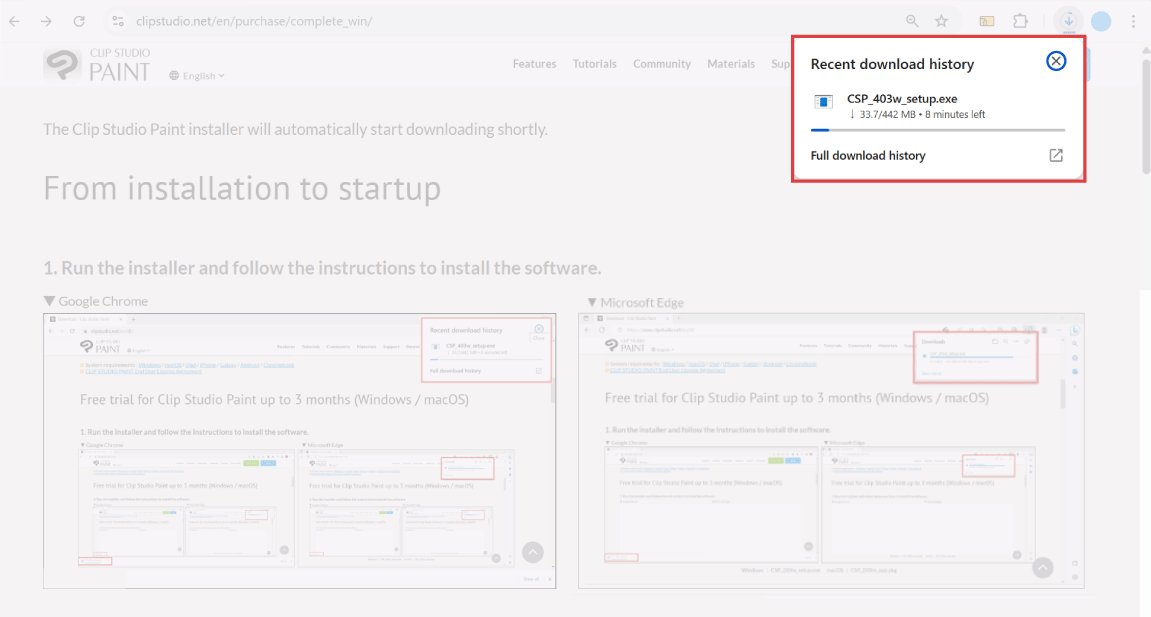
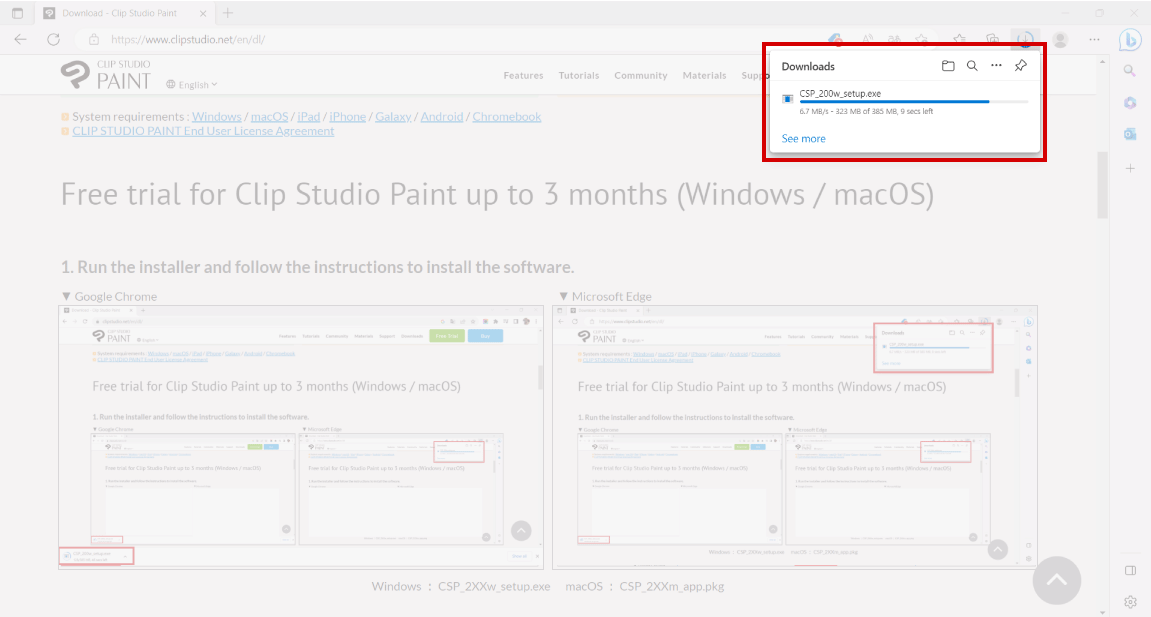
1. Run the installer and follow the instructions to install the software.
2. Start CLIP STUDIO.
Windows :
Click the “CLIP STUDIO” icon on the desktop.
macOS :
Open the “Applications” folder > “CLIP STUDIO 1.5*” and click on the “CLIP STUDIO” icon.
Note: The folder will be marked 1.5 regardless of the Clip Studio Paint version you are using.

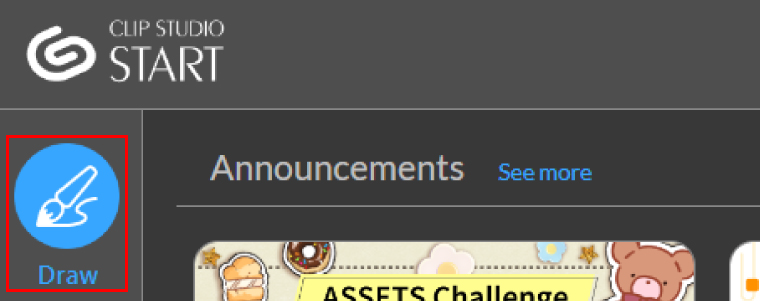
3. Click Draw to launch Clip Studio Paint.
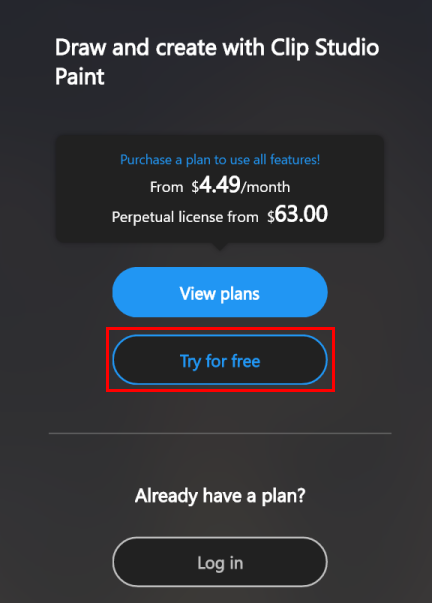
4. Sign up for a free trial and start using the app.
To use all the features of Clip Studio Paint:
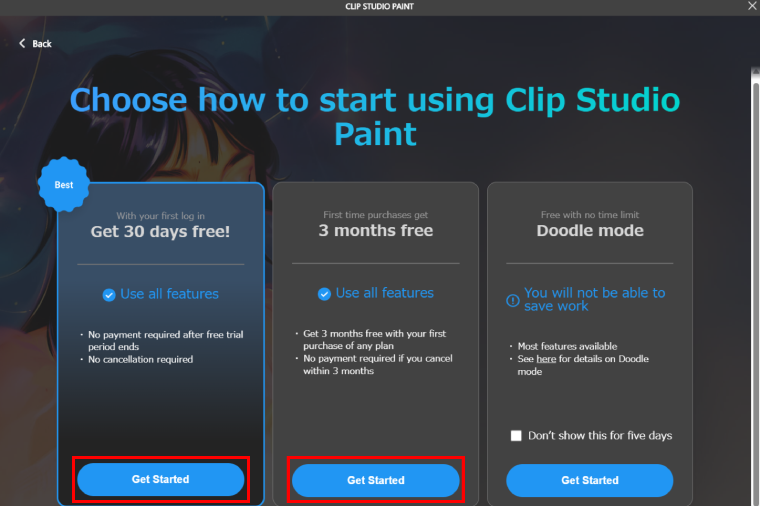
1. Click on “Try for free”.
2. Select how you want to start using Clip Studio Paint.
- - Get 30 days free: Just register for a Clip Studio account to get 30 days free.
- - Get 3 months free: Sign up for a plan to get 3 months free.
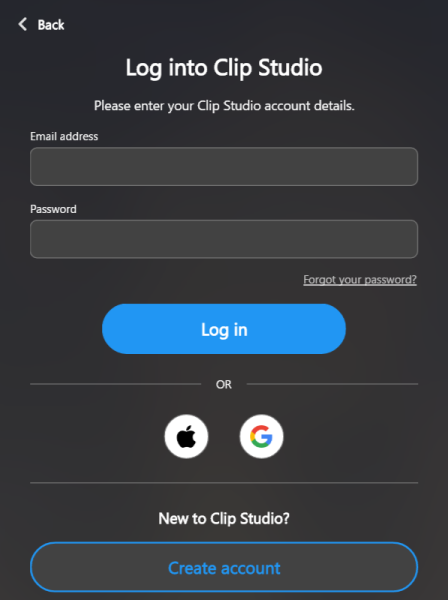
3. Log in with your Clip Studio account.
You can link your Clip Studio account to your Apple Account or Google Account. See here for more details.
Note: See this support page for how to sign up for the 3 months free offer.
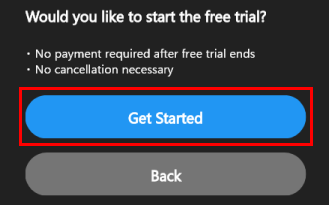
4. Select “Get Started” in the confirmation screen.
Note: The Plan Options screen will display instead if you sign up for the 3 months free offer.
5. Check out drawing tips and our official tutorials
Find tutorialsSign up to use all the features during the free trial period.
If you do not register your trial or if your trial expires, the following functions will be limited.
- The Save, Save As, and Save Duplicate functions are not available. Save and Save As in Page Management are also unavailable.
- Export to photo library (iPad / iPhone / Android / Chromebook only), Export (Single Layer), Flatten and save to device storage (Android / Chromebook only), Export multiple pages, Export animation, and Special Export are not available.
- The Batch process function is unavailable.
- The following features related to importing are unavailable: Batch import, Continuous Scan, and Select Scan Device.
- The Print Settings, Print, and Corner store print functions are unavailable.
- You cannot use the Copy vectors as SVG (Windows/macOS only) function.
- No material registration functions.
- The Change material settings function is unavailable.
- The following features related to page management are unavailable: Add page, Add page (details), Load page, Duplicate page, Replace page, Delete page, Combine Pages, Split Pages, Change basic work settings, Change basic page settings, Group work, Edit text, and Sort page file names.
- The following functions related to file objects are unavailable: Convert layer to file object and Paste as file object.
- ComicStudio work files (.cst), Clip Studio Storyboard files (.csnf) cannot be imported.
- OpenToonz scene files cannot be exported.
- Plugins (Windows, macOS versions only) are unavailable.
- Remove tones (Technology preview), Colorize (Technology preview), and Pose Scanner (Technology preview) functions are unavailable.
- The following exposure sheet settings are unavailable: Export exposure sheet, Import exposure sheet, Apply Toei Animation Digital Exposure Sheet information to current exposure sheet, Load changes to Toei Animation Digital Exposure Sheet, Toei Animation Digital Exposure Sheet settings, Toei Animation Digital Exposure Sheet Path Settings (iPad only).
- The Quick share function (iPad/iPhone only) is unavailable.
- The [Export timelapse] function is unavailable.
- The following 3D-related functions are unavailable: Exporting primitive UV maps, exporting panorama UV maps, and exporting panorama images.




© CELSYS, Inc.
 Celsys, Inc. / President: Narushima Kei / Corporate Number (Japan): 1011101062869
Pacific Marks Shinjuku Parkside 2F, 4-15-7 Nishi-Shinjuku, Shinjuku-ku, Tokyo 160-0023 Japan
+81-3-3372-3156 support@celsys.com