Get one month free of Clip Studio Paint EX for a limited time!
December 2, 2025
Starting today, we’re giving perpetual license users the chance to try the latest version of Clip Studio Paint EX (December 2025 Update / Ver. 4.2) until January 6, 2026 for free! Take this chance to increase your work efficiency with Clip Studio Paint EX’s many features in the latest version.
Recommended for the following users!
-
Users with a Clip Studio Paint perpetual, one-time purchase license
-
Users considering a PRO to EX upgrade, version upgrade, or the Update Pass
-
Users with a Perpetual License who want to try out the latest features
New features introduced with Ver. 2.0, Ver. 3.0, and Ver. 4.0
-
New filters to change the atmosphere of your work
See more features added in Ver. 4.0
See more features added in Ver. 3.0
See more features added in Ver. 2.0
Additional features by upgrading

Premium features unique to Clip Studio Paint EX
Clip Studio Paint EX offers features that accelerate your animation, manga, and webtoon production.
-
Includes animation features that are used by professional animation studios.
-
Multi-page management and export options great for comic creation
-
PDF Export
It is also great for professionals looking to create stunning illustrations.
-
Use the multi-page management feature to create different versions of your illustration

Latest features added in the December 2025 Update
-
Improved blurring for drawing tools
-
Reduced lag when using brushes with high stabilization
-
Paint areas faster with large brushes
Get the Update Pass to use the latest features now no matter your perpetual license version


The latest EX version offers new features that can further improve the quality and efficiency of your work. Are you using Debut, PRO, EX Ver.1~Ver. 4.0? Don’t miss out on the chance to use the latest version (December 2025 Update / Ver. 4.2) of Clip Studio Paint EX!
How to get the free EX trial
● Eligible users
- Users of Clip Studio Paint Debut (Windows/macOS)
- Users with a Clip Studio Paint PRO perpetual, one-time purchase license (Windows/macOS)
- Users with a Clip Studio Paint EX perpetual, one-time purchase license (Windows/macOS)
Note: Users who are using the latest Clip Studio Paint EX are not eligible.
1) Those who have already used the 30 day free trial
2) Those who have not used the 30 day free trial for EX
● Instructions (1): Those who have already used the 30 day free offer
- 1. Update Clip Studio Paint to the latest version
Download and install the latest version on the device you will be using it on.
Download latest version - 2. After launching Clip Studio Paint, switch to the latest version of EX
[For Windows users]
[For macOS users]
- ・For Windows users
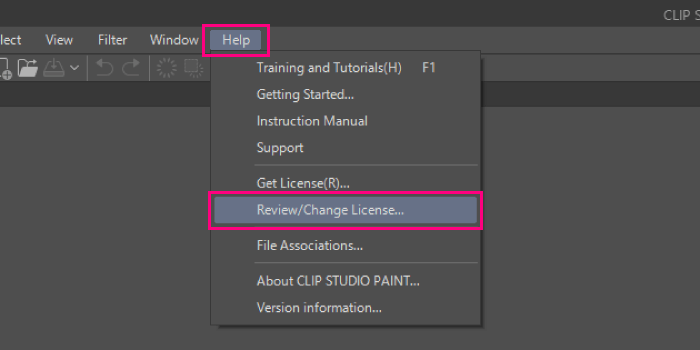
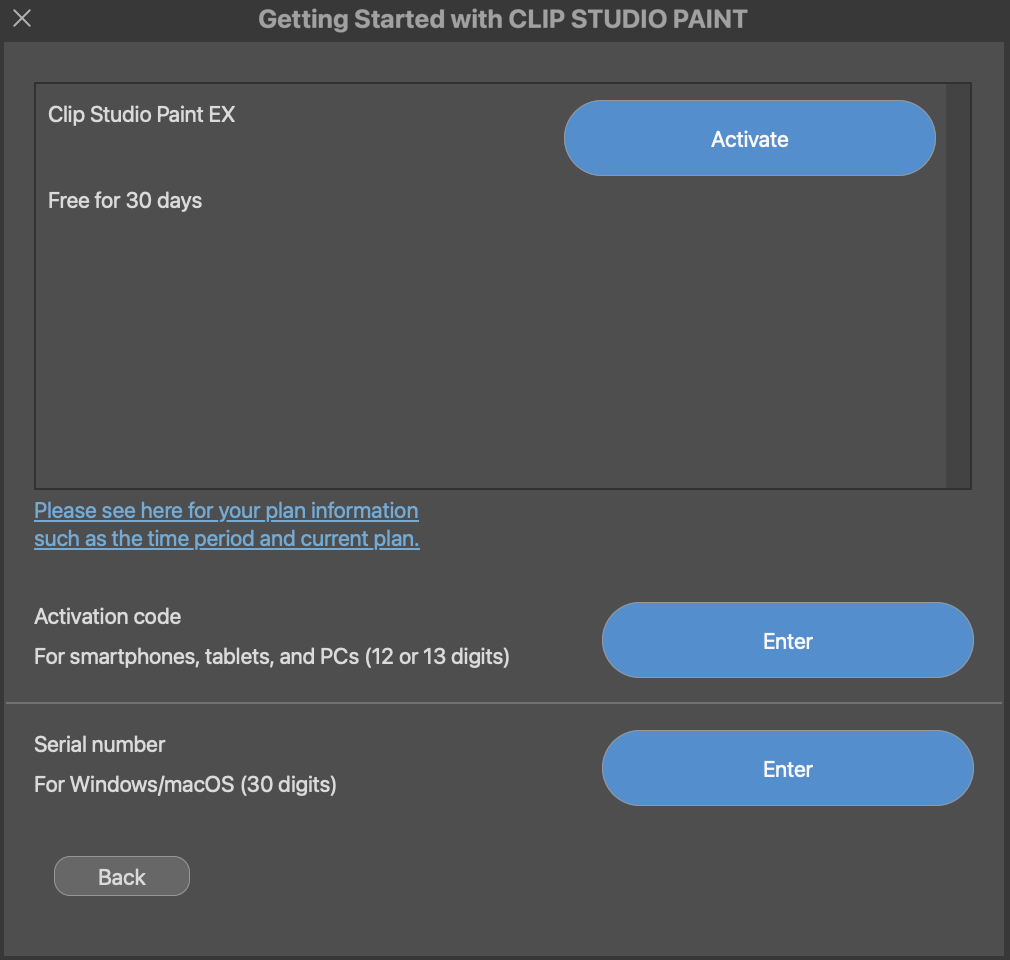
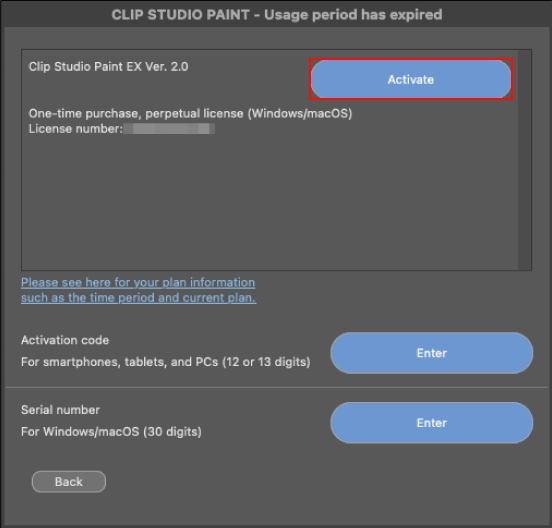
Click Activate on the Clip Studio Paint EX 30 day free offer under the Help menu > Review/Change License > Your license.
- ・For macOS users
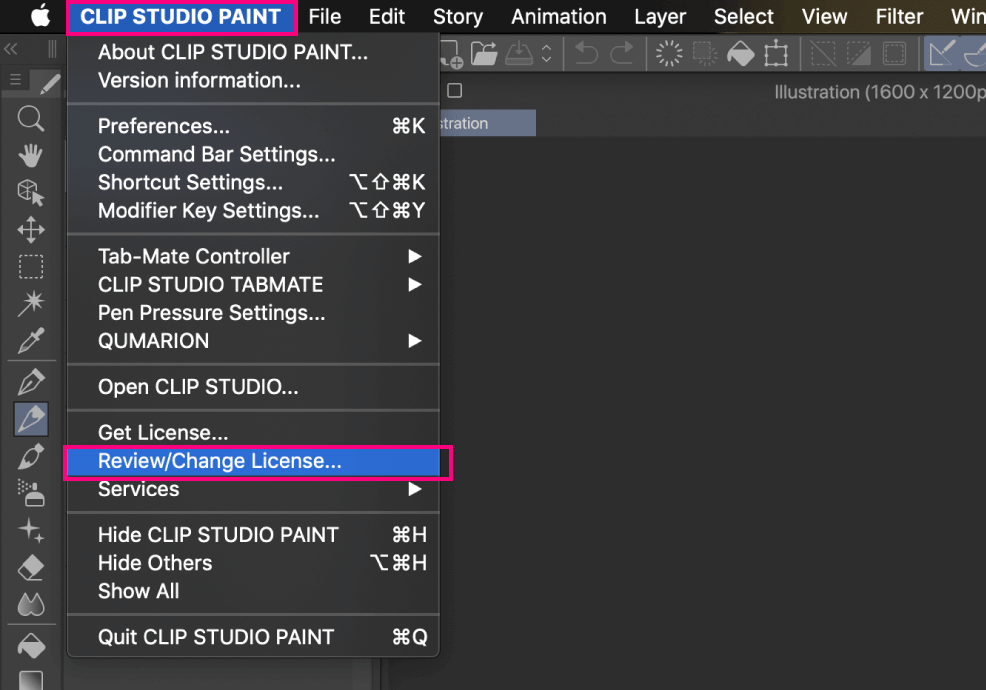
Click Activate on the Clip Studio Paint EX 30-day free trial under the CLIP STUDIO PAINT menu > Review/Change License > Your license.
● Instructions (2): Those who have not used the 30 day free offer for EX
Note: Depending on your past usage, one of the following buttons will appear.
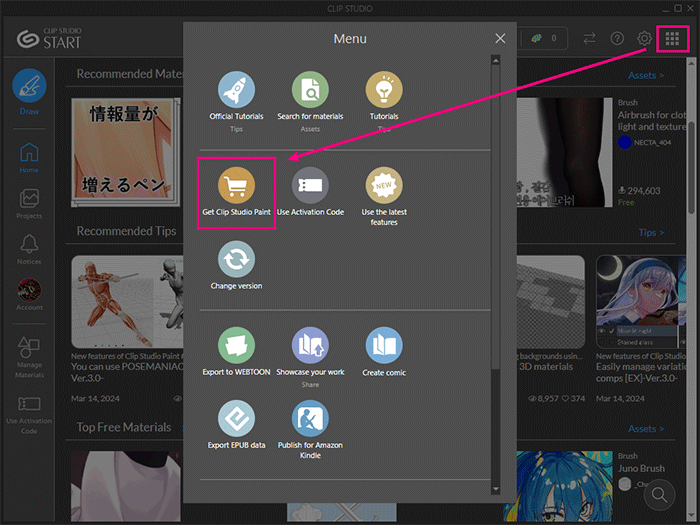
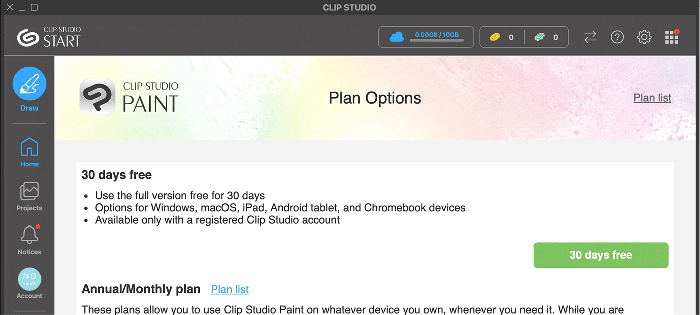
Launch Clip Studio and click the Paint Order/Purchase > Try free for 30 days.
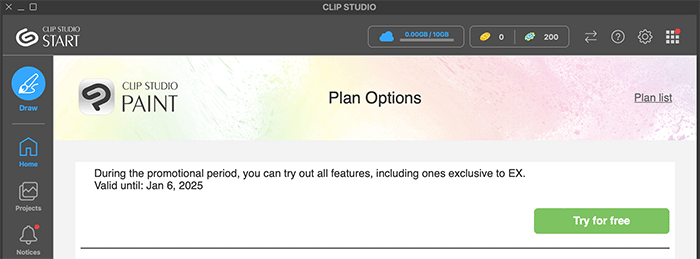
Launch Clip Studio and click the Paint Order/Purchase > Try for free button.
● How to switch back after the campaign ends
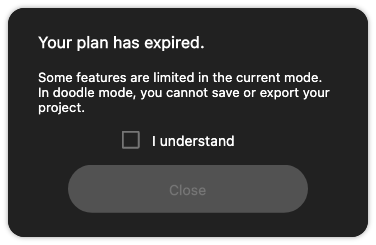
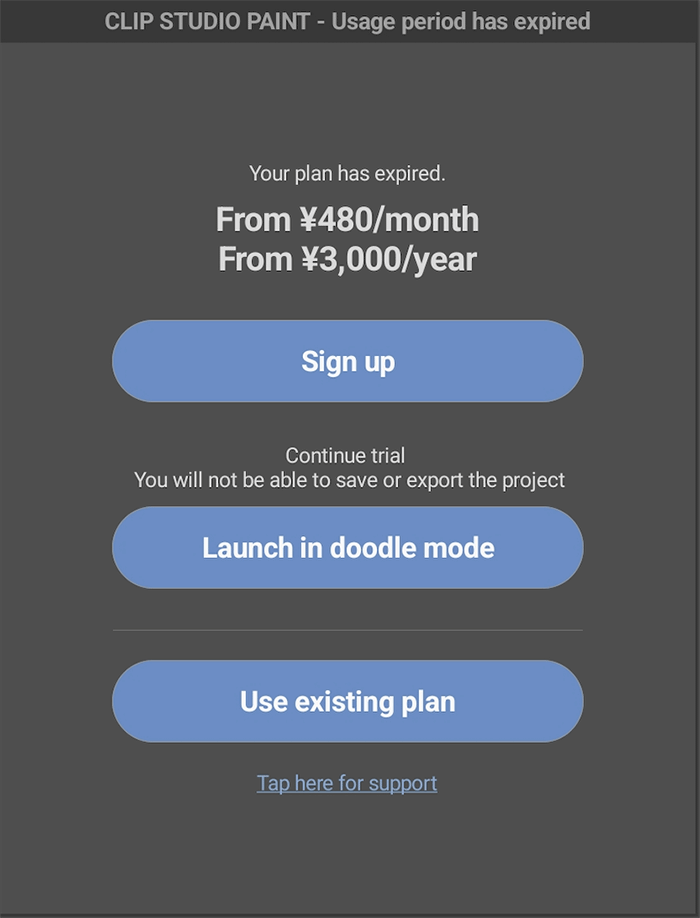
After the campaign ends, the following dialog will appear. Check Confirm and then select Close.
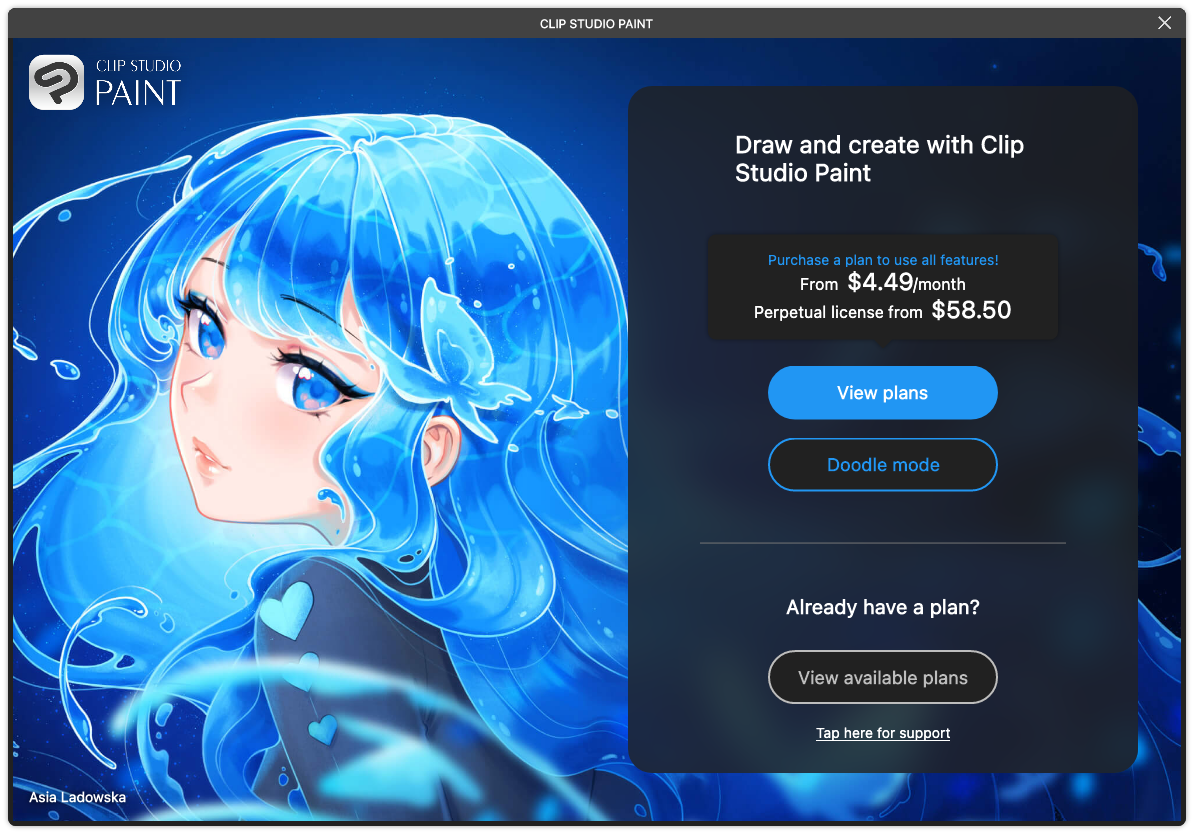
Click on See available plans to display your plan details.
Click on Install available version from your available plans.
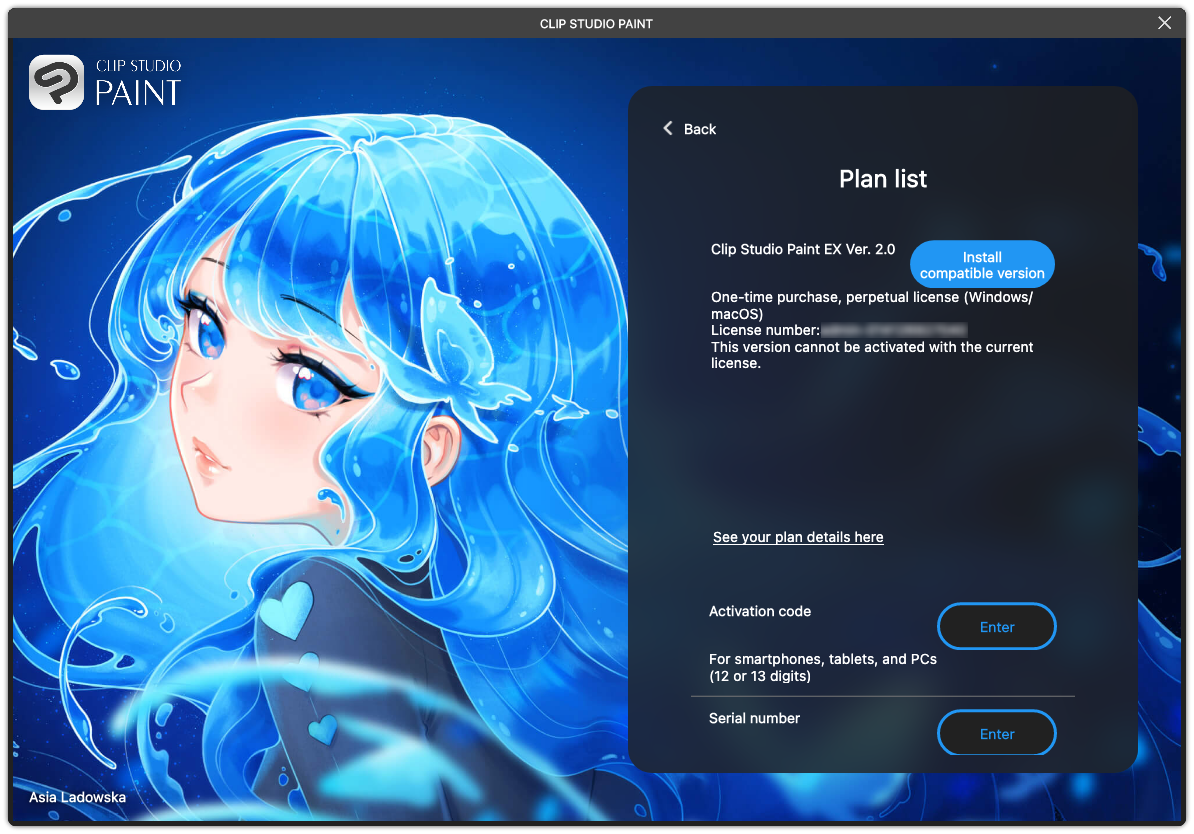
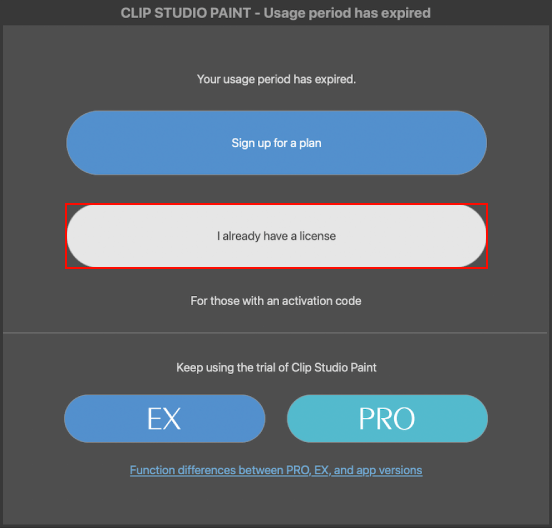
Follow the prompts and install the version that matches your current license. The same dialog will be displayed again. Select I have a license > Activate.
● How to get the most out of Clip Studio Paint EX
For those looking to try out all of Clip Studio Paint’s new features and improvements, please see our Official Tutorials & Tips.
Is there an operation or procedure you don’t understand? Ask and search for answers here.
● Read about Clip Studio Paint’s new and improved functions
Click here to purchase
● Find the perfect plan for you!

● Get Clip Studio Paint upgrades here