Concept Art & Painting
Worldbuilding
with the right tools




“...the way the brushes blend colors is fantastic”

“...Clip Studio allows me to focus on my work”


“...brushes are highly customizable and easy to use.”
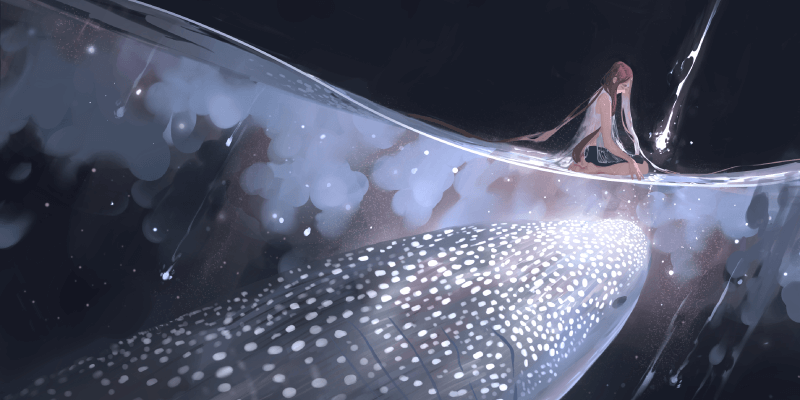
Clip Studio Paint's brush engine was created with artists in mind to provide the best drawing experience available. Choose the best brush from high-quality preset brushes with a natural drawing feel. Each line can be drawn with precision and nuance, reflecting the 8192 levels of pressure provided by high-end Wacom tablets. Import Photoshop brush files (ABR) and create expressive dual brushes by combining two types of brush strokes.
Draw and paint with traditional watercolors, oil paints, pencils and more, or create your own textures.
Clip Studio Assets offers a huge library of free materials. Test concepts and create quick sketches with foliage brushes, tileable patterns, textures and much more. Make use of the constantly expanding universe of Celsys official and user-generated materials at your fingertips.
Create a thumbnail grid in seconds and get to work, either adding images and reference data to the same layer or to individually masked panels. Organize your game or movie concepts for easy viewing and save time for yourself and the creative team!
With built-in perspective rulers that snap brush strokes and shape tools to vanishing points, refining sketches and drafts feels like drawing free-hand. Add believable depth and perspective without any additional plugins.
Draw vector lines with the exact same brushes used in raster painting and adjust them easily, using features such as the vector eraser, line thickness and shape sliders, or switch the brush shape altogether.
Use the pre-installed 3D-figures to quickly create model sheets and turnarounds for characters and costumes, make use of the numerous 3D-objects or import your own OBJ files as reference. You can also use simple 3D primitives to mock up basic shapes then apply a normal map to put realistic textures on like a mesh or cloth.
Find the best color scheme for your characters, creatures, costumes and more, and stay consistent with custom color palettes for every occasion. No need to clutter your canvas with swatches when color blocking or flatting colors to a design.
Transform grayscale concepts with gradient maps and explore moods and lighting for projects. Apply color variations to the whole image or individual layers to fine-tune your creations.
Make different layers hidden or visible at once by using layer comps to easily create different variations. You can also export all layer comps at once.
Clip Studio Paint is highly customizable, allowing you to adjust the interface to match your preferred workflow and create your ideal workspace. Additionally, each tool comes with intricate customizing options to match tools you may be used to from other software.
Use the Clip Studio Tabmate to operate the app with a push of a button, so you never have to put your pen down when drawing. Now with iPad and iOS support! (Tabmate sold separately)
Compatible with iPad, iPhone, Android, Windows, and macOS.
Let your audience experience your work, be it in team meetings, in art books or portfolios, by having your RGB data ready for the screen, or using Clip Studio Paint's CMYK preview to ensure that your prints do your designs justice.
Angela Sung is a Visual Development artist and Art Director for animation. She has worked on numerous series, such as on "Bad Guys" as a Visual Development artist, on "Legend of Korra" and "Voltron" as a Background Designer and Painter, and many more. Angela has taught at several schools and co-runs the "Warrior Painters" plein-air painting project.
Magdalena was born in Poland, and is currently living and working in Germany as a Senior Concept Artist for game developer Ubisoft. Digital painting is her passion, spending any free time working on illustrations and character design.
In this webinar she shares her approach to lighting characters and concepts.
Artstation:https://www.artstation.com/magdaproski
Gui Guimaraes is a concept artist and has worked on projects such as Just Cause 3, Call of Champions and Saints Row 4. He shares his process to create a character in his Cyber Candy Girls series using Clip Studio Paint in Artstation Magazine.
(Brazil, Digital Art School)
Riscor chose Clip Studio Paint because it is an industry standard and offers a complete set of tools that meet the needs of both beginners and professionals. We recommend CSP for its variety of features, such as customizable brushes, vector lines, workspace personalization, and support for a wide range of colors.
(Brazil, Game Studio)
We use Clip Studio Paint from the raw concepts of our games until the final art and production stages. The app is very practical, has easy to find functions, and is artist friendly. My favorite functions are community assets, transforming raster to vector layers, and 3D poses. It helps a lot to save production time!
(France, Digital Art School)
Used by the 3D and concept art talents at the Artline Institute, Clip Studio Paint is revolutionising our approach to digital art. Thanks to Clip Studio Paint, we're enabling our students to make comics using the best digital tools available. Most of our teachers use it, which is why we highly recommend it.
Having technical issues, or just need help with a Clip Studio Paint tool or feature? Our customer support team is happy to help.
As well as being bundled with the world’s bestselling pen tablets from Wacom, Clip Studio Paint is pre-loaded on the latest Tab S series Galaxy Android tablets available worldwide, making it the first choice for getting started with digital art.
Clip Studio Paint PRO/EX Comparison
| Feature | PRO For professional illustration |
EX All PRO features + animation and comic features |
|---|---|---|
Illustration (Character art, concept art, etc.) |
||
Import/Use 3D models |
||
Extract lines from images and 3D models |
||
Save layer comps |
||
Single-page comic tools |
||
Multi-page projects |
||
Webtoon tools |
* | |
PDF/Ebook export |
||
Simple animation/movie creation |
||
Full-length animation tools |
Are you a content creator? Spread the word with your content and get a kickback on each sale you bring.



© CELSYS, Inc.
 Celsys, Inc. / President: Narushima Kei / Corporate Number (Japan): 1011101062869
Pacific Marks Shinjuku Parkside 2F, 4-15-7 Nishi-Shinjuku, Shinjuku-ku, Tokyo 160-0023 Japan
+81-3-3372-3156 support@celsys.com